Black and white badges
This tailwind example is contributed by Anonymous, on 12-Apr-2024. Component is made with Tailwind v3.4. It is responsive.

Related Examples
-
 6.6k
-

-
 12.8k
-
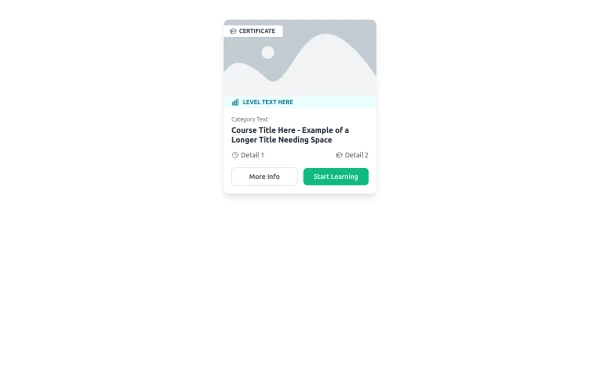 E-Learning Course Card with Badge and Level Indicator
An HTML and Tailwind CSS component mockup for displaying course information. Features include a placeholder image area with an overlaid certificate badge, a distinct level indicator banner below the image, category text, a course title, key details (like duration and learner count placeholders), and primary/secondary action buttons. Designed for e-learning platforms or course listings.
1.6k -
-
-
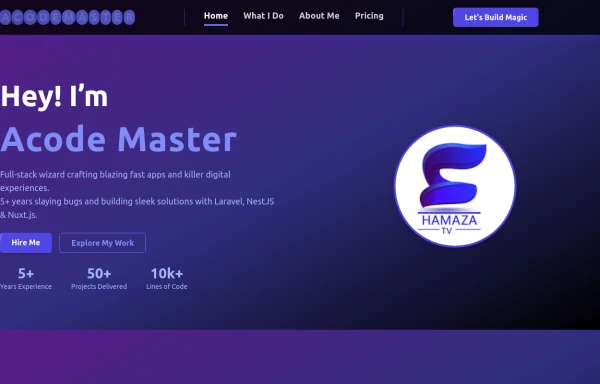 Next-Gen Hero Section – Tailwind CSS Component
A stunning, futuristic Hero Section built with Tailwind CSS, designed to capture user attention with glowing animations, smooth gradients, and bold typography. Perfect for modern web apps, education platforms like EduForce, landing pages, or portfolios. This component is responsive, interactive, and visually unique — not commonly found in typical UI libraries.
-
 The Free AI Tools Grid Section (210+ Tools, No Signup)
A responsive and SEO-optimized grid section showcasing over 210 free AI tools. Designed with Tailwind CSS, fully responsive, fast-loading, and built for high user engagement. No sign-up required, privacy-friendly, and optimized for performance and discoverability.https://www.thefreeaitools.com/
-
 Tag Input field
This code creates a dynamic tag input field using HTML, JavaScript, and TailwindCSS. Users can type tags into the input field and press "Enter" to add them. Each tag is displayed inside the input field as a styled container with a remove button. The tag input is limited to a maximum of 5 tags, and an error message is shown if the limit is exceeded. Users can remove tags to free up space for new ones. The input field and tags are styled using TailwindCSS, ensuring a clean and responsive design.
2.7k -
 The Free AI Tools Grid Section (210+ Tools, No Signup)
A responsive and SEO-optimized grid section showcasing over 210 free AI tools. Designed with Tailwind CSS, fully responsive, fast-loading, and built for high user engagement. No sign-up required, privacy-friendly, and optimized for performance and discoverability.https://www.thefreeaitools.com/
634 -
 background
A background is the area behind the content of an element (like a page, section, or div). It helps define the look and feel by adding colors, images, gradients, or patterns.
-










Browse by topic
Explore components by Tags
Jump straight to the UI pattern you need.
Can't find it?
Didn't find the component you were looking for?
Search across 3,000+ community-built components and grab the code in seconds.