Material 3 Drawer [Light]
A sidebar drawer that conforms to Google's Material 3 design guidelines
This tailwind example is contributed by Nick Girga, on 26-May-2025. Component is made with Tailwind v3.4. similar terms for this example is drawer

Related Examples
-

-
-
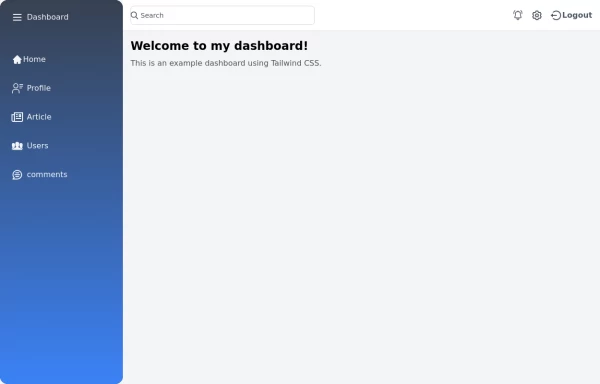
 sidebar responsive
responsive sidebar with working links
1.3k -
 Reader AI – Your AI-Powered Knowledge & Thinking System
Reader AI helps you read, think, and remember better. Upload books, highlight insights, chat with AI, and build a personal knowledge system that evolves with you.
467 -
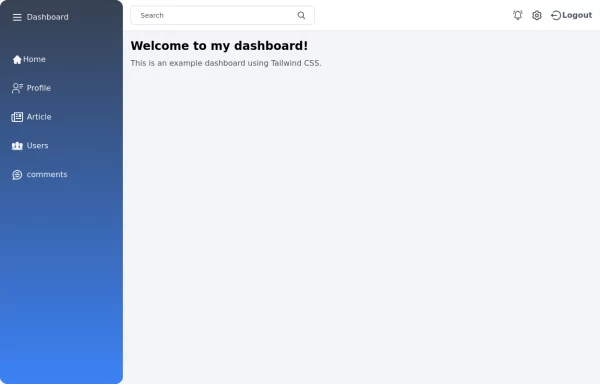 Tailwind Sidebar Layout
Place edited for the search button
5.9k -
 Sidebar
This HTML file includes: 1. A responsive sidebar with 3D animation effects: 1. The sidebar slides in and out smoothly. 2. Navigation items have a 3D hover effect using CSS transforms and transitions. 2. Tailwind CSS for styling: 1. Included via CDN for easy setup. 2. Used for layout, colors, and basic styling. 3. Custom CSS for animations and 3D effects: 1. Keyframe animations for sidebar open/close. 2. 3D transform effects for nav items. 4. JavaScript for interactivity: 1. Toggles the sidebar open and close. 2. Adds 3D effect to nav items on hover using mouse position. 3. Closes the sidebar when clicking outside. 5. Accessibility features: 1. ARIA label for the toggle button. 2. Keyboard navigation support (Enter/Space to toggle sidebar). 3. Focus trapping within the sidebar when open. 6. Responsive design: 1. The sidebar is full-height and toggleable, suitable for both desktop and mobile views. This implementation provides a visually appealing sidebar with 3D animations and effects, while maintaining accessibility and responsiveness. It uses HTML for structure, Tailwind CSS for styling, and vanilla JavaScript for interactivity, as requested.
2.7k -
 Responsive navbar with dark mode support
Sidebar on small screen devices
-
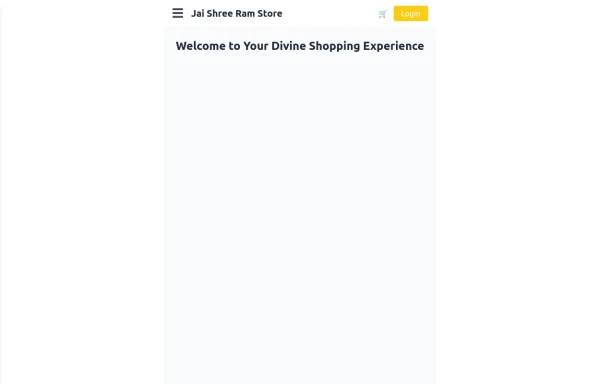 Responsive eCommerce Sidebar Layout with Hamburger Menu | Tailwind CSS UI for Online Stores
Build a clean and responsive eCommerce sidebar layout with a smooth hamburger menu using Tailwind CSS and Alpine.js. Ideal for devotional, spiritual, or modern online stores. Includes dark mode support, navigation links, cart, login, and a dynamic layout for beautiful product pages.
1.6k -
 FinTech Banking Navbar with Trust Bar & Mobile Sidebar
A clean, enterprise-grade banking navigation bar built with pure HTML and Tailwind CSS. It features a trust announcement bar, responsive navigation, loan dropdown, secure call-to-action buttons, and a mobile sidebar. Perfect for fintech platforms, digital banks, insurance providers, investment firms, lending platforms, and financial service websites.
372 -
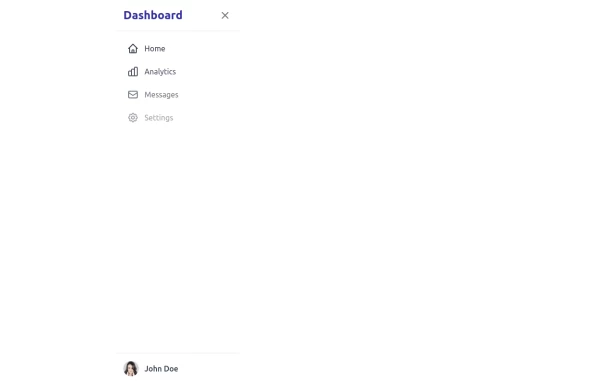 sidebar
This sidebar implementation includes: 1. Responsive design that works on both desktop and mobile 2. Indigo-800 and Blue-900 color scheme for the background 3. Dark mode support 4. Beautiful animations and effects: 1. Slide-in animation when opening the sidebar 2. Fade-in animation for menu items with staggered delays 3. Hover effects on menu items with underline animation 4. Smooth color transitions 5. SVG icons for menu items 6. User profile section at the bottom of the sidebar 7. Close button for easy dismissal on mobile 8. Main content area with a toggle button for the sidebar 9. Accessibility considerations (proper heading structure, color contrast, focus styles) Key features: - The background uses a gradient from Indigo-800 to Blue-900 - The sidebar has a white background in light mode and dark gray in dark mode - Text colors are adjusted for readability in both light and dark modes - Menu items have hover effects with background color changes and underline animations - Icons change color on hover - The sidebar slides in from the left with a smooth animation - Menu items fade in with a staggered delay for a smooth entrance - Dark mode is automatically applied based on system preferences - The layout is responsive, with the sidebar hiding off-screen on mobile and a toggle button to show/hide it This implementation provides a visually appealing and functional sidebar with various animations and effects, using HTML, Tailwind CSS, and vanilla JavaScript for the interactions.
5k -
 Sidebar Off canvas
How it Works: Off-Canvas Sidebar Component This component uses HTML5, Tailwind CSS, and Vanilla JavaScript to create a smooth, performant sidebar navigation. The Trigger Mechanism: The Menu Button uses an onclick="toggleSidebar()" event to trigger the opening sequence. We use a semantic <button> tag for accessibility. The UI Structure (HTML & Tailwind): Overlay (#sidebar-overlay): A fixed inset-0 div covers the entire screen with a semi-transparent black background (bg-black/50). It starts hidden and transparent (opacity-0 hidden) to prevent interaction when closed. Sidebar Panel (#sidebar-panel): Positioned with fixed top-0 left-0 h-full, it occupies the full height of the screen. Animation State: We use transform -translate-x-full to hide the panel completely off-screen to the left by default. The transition-transform duration-300 class ensures the sliding movement is smooth. The Logic (JavaScript): The toggleSidebar() function handles the state: Opening: It removes the -translate-x-full class (sliding the panel into view) and removes hidden/opacity-0 from the overlay (fading it in). Closing: It adds the classes back to reverse the animation. Crucially, it uses setTimeout(..., 300) when closing. This delays the hidden class application by 300ms, allowing the CSS fade-out animation to complete fully before the element is removed from the flow. Flexbox Layout: The panel uses flex flex-col to vertically stack the Header, Content, and Footer. The middle section has flex-1 overflow-y-auto, ensuring that if the menu items exceed the screen height, only that area scrolls while the header and footer stay pinned.
1.1k -
 AI SaaS Hero Section with Dashboard
A modern AI SaaS hero section built with HTML and Tailwind CSS featuring dashboard preview, CTA buttons, trust badges, responsive layout, and clean UI.
248


Browse by topic
Explore components by Tags
Jump straight to the UI pattern you need.
Can't find it?
Didn't find the component you were looking for?
Search across 3,000+ community-built components and grab the code in seconds.