Basic CTA section
This tailwind example is contributed by Lîmåã M, on 17-Jun-2023. Component is made with Tailwind v3.4. It is responsive. similar terms for this example are CTA,banner

Related Examples
-
-
 CTA block for "Take our survey"
Get users attention to he survey form
9.7k -
 e-commerce website landing page template with Tailwind CSS.
A clean, responsive e-commerce & blog template built with Tailwind CSS. Features light/dark mode, dynamic featured posts, hero, CTA, and SEO-ready sections.
1.2k -
-
 Boimator welcoming back
Boimator welcoming back
1k -
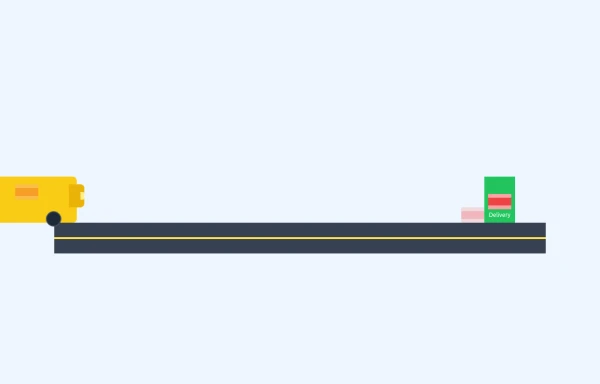 E-Commerce Delivery Truck Animation
This responsive CSS animation showcases a delivery bus transporting a package to its destination, created entirely with Tailwind CSS and pure HTML. The animation features
1.5k -
 Call to example
Call to example using radial-gradient
9.6k -
 Modern CTA section
CTA with background patterns
-
 Call to Action (for app stores)
Download app section with Playstore and Appstore button
12.2k -
 Call to action
slightly tilted call to action section
11.9k -
 Solo leveling
Animation & movie field,videos,games.
1.4k -
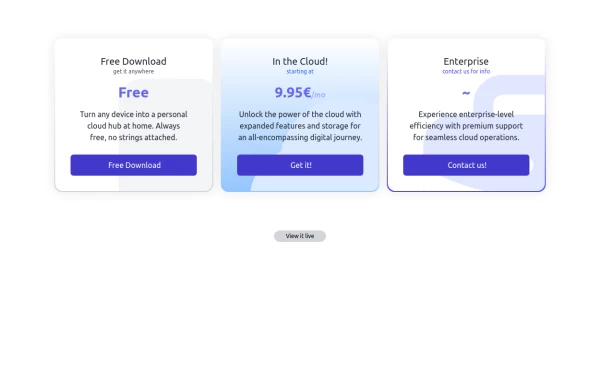 Interactive Pricing Table
This modern pricing component features a visually appealing, responsive layout with smooth hover effects, making it ideal for showcasing different plans and subscription tiers. Design and Features: ✅ Elegant Gradient Backgrounds • Each pricing card has a unique gradient overlay, transitioning from soft gray, blue, or indigo to white, enhancing contrast and visual appeal. • The rounded-2xl design ensures a polished and smooth aesthetic. ✅ Interactive Hover Effects • Cards have a subtle hover shadow enhancement, making them pop on interaction (hover:shadow-[0_0px_25px_0px_rgba(0,0,0,0.2)]). • Slight floating effect (hover:translate-y-[-5px]) gives the illusion of elevation on hover. ✅ Pricing & Plan Details • Each card presents a plan title, a short subtitle, and a bold price display (text-3xl font-extrabold text-indigo-500). • Supports free, subscription-based, and enterprise-tier pricing, ensuring flexibility for different business models. ✅ Call-to-Action Buttons • Each plan features a highly visible CTA button (bg-indigo-700 text-white rounded-md). • The buttons change color on hover (hover:bg-indigo-500) and expand slightly, encouraging user interaction. ✅ Animated Background Icons • A large, transparent icon (text-[500px] text-gray-100) dynamically moves on hover (group-hover:-translate-y-8 group-hover:-translate-x-8), adding depth and a premium feel. This pricing component is perfect for SaaS platforms, digital subscriptions, and service offerings, ensuring a modern, sleek, and engaging user experience. 🚀
2.1k


Browse by topic
Explore components by Tags
Jump straight to the UI pattern you need.
Can't find it?
Didn't find the component you were looking for?
Search across 3,000+ community-built components and grab the code in seconds.