Button group
Monocolor button group
This tailwind example is contributed by Arya, on 27-Dec-2022. Component is made with Tailwind v3.4.

Related Examples
-

-
 Button with hover to button shadow
A beautiful button with a special shadow
1.9k -
 beautiful buttons set
a beautofull buttons set like primary, outline and text.
2.1k -
 9.8k
9.8k -
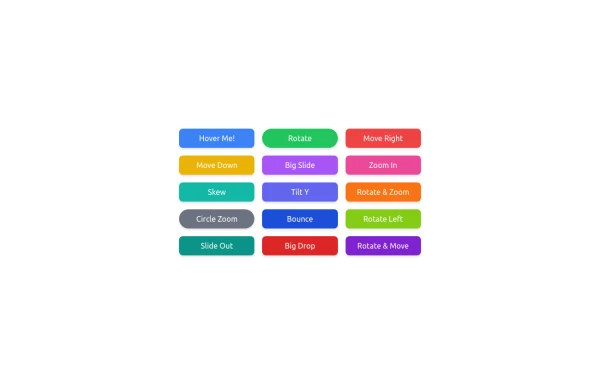 button animation
button animation big
1.5k -
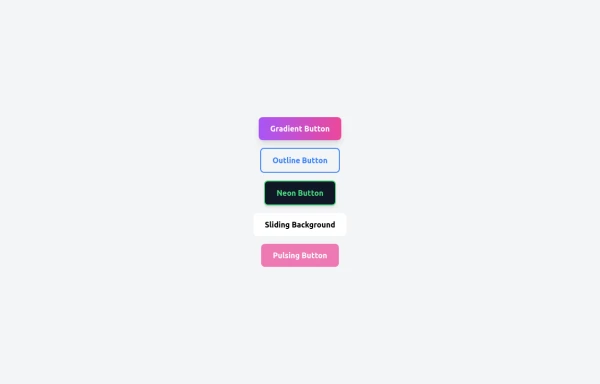 5 Different Style of Button
Gradient Button outline button neon button Sliding Background pulsing Button
1.1k -
 Lots of button examples
tailwind button examples
1.3k -
 Acode Master
Acode Master is a skilled and passionate software developer known for mastering coding and creating innovative tech solutions. Specializing in modern web technologies like React.js, Node.js, PHP, and databases such as MySQL and PostgreSQL, Acode Master builds practical, efficient, and scalable applications. Beyond coding, Acode Master is dedicated to continuous learning, sharing knowledge, and empowering others through technology-driven projects and education.
-
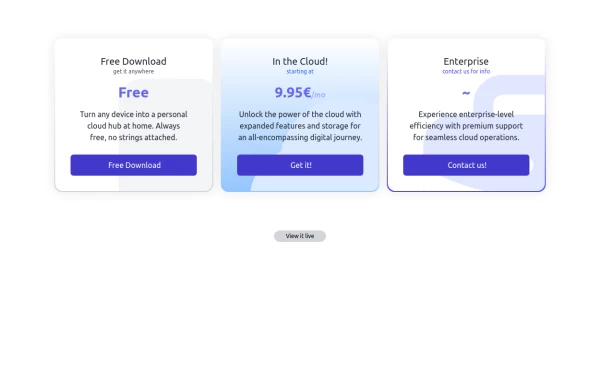 Interactive Pricing Table
This modern pricing component features a visually appealing, responsive layout with smooth hover effects, making it ideal for showcasing different plans and subscription tiers. Design and Features: ✅ Elegant Gradient Backgrounds • Each pricing card has a unique gradient overlay, transitioning from soft gray, blue, or indigo to white, enhancing contrast and visual appeal. • The rounded-2xl design ensures a polished and smooth aesthetic. ✅ Interactive Hover Effects • Cards have a subtle hover shadow enhancement, making them pop on interaction (hover:shadow-[0_0px_25px_0px_rgba(0,0,0,0.2)]). • Slight floating effect (hover:translate-y-[-5px]) gives the illusion of elevation on hover. ✅ Pricing & Plan Details • Each card presents a plan title, a short subtitle, and a bold price display (text-3xl font-extrabold text-indigo-500). • Supports free, subscription-based, and enterprise-tier pricing, ensuring flexibility for different business models. ✅ Call-to-Action Buttons • Each plan features a highly visible CTA button (bg-indigo-700 text-white rounded-md). • The buttons change color on hover (hover:bg-indigo-500) and expand slightly, encouraging user interaction. ✅ Animated Background Icons • A large, transparent icon (text-[500px] text-gray-100) dynamically moves on hover (group-hover:-translate-y-8 group-hover:-translate-x-8), adding depth and a premium feel. This pricing component is perfect for SaaS platforms, digital subscriptions, and service offerings, ensuring a modern, sleek, and engaging user experience. 🚀
2.1k -
 Radio Button Group for Search Filters
set of radio buttons grouped for selecting different search filters
5.7k -
-
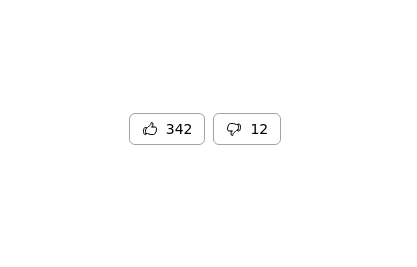 Thumbs up and thumbs down buttons
Upvote downvote buttons
11.9k


Browse by topic
Explore components by Tags
Jump straight to the UI pattern you need.
Can't find it?
Didn't find the component you were looking for?
Search across 3,000+ community-built components and grab the code in seconds.