- Home
-
Forgot Password
Forgot Password
Forgot Password
This tailwind example is contributed by Tanvir Hasan Bappy (Tanvir), on 28-Dec-2025. Component is made with Tailwind CSS v3. It is responsive.
Author Tanvir Hasan Bappy (Tanvir)
Related Examples
-
8 months ago450
-
Responsive navbar with alpinejs
A mix of Penguin navbar with PineUI Slide-Over
1 year ago3.2k -
Hero Section
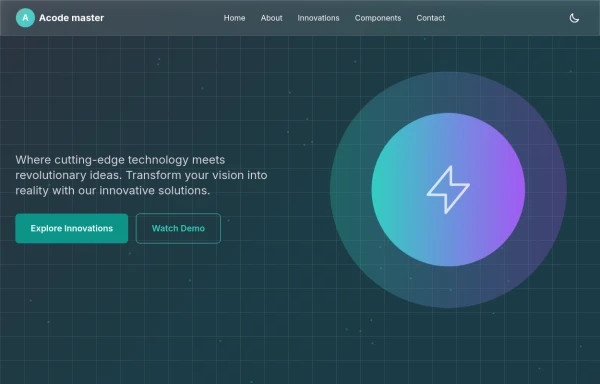
Modern Gradient Color Scheme - Uses a professional purple-to-teal gradient for visual appeal Animated Elements: Floating decorative circles with subtle animation Fade-in effect for the main illustration Pulsing status indicator Engaging Typography: Gradient text for key phrases Responsive font sizing Clean Poppins font family Social Proof Elements: Client avatars Star ratings Trust indicators ("Trusted by 500+ businesses") Call-to-Action Buttons: Primary gradient button Secondary outlined button Hover effects and transitions Visual Hierarchy: Clear headline with emphasis on transformation Supporting subheading Balanced layout with image Performance Indicators: ROI badge Growth metric badge Responsive Design: Works on mobile and desktop Grid layout that adapts to screen size
7 months ago1k -
7 months ago455
-
admindashboard
creates a responsive, interactive admin dashboard using Tailwind CSS, Font Awesome, Chart.js, and custom JavaScript animations. It's called "Materially Dashboard" and is designed for presenting key statistics and analytics data in a visually appealing manner.
8 months ago792 -
Sticky fullpage pages / slides
Sticky full page
3 months ago333 -
1 year ago2.1k
-
about video
about kelaplus video
7 months ago776 -
8 months ago1.2k
-
Interactive Multi-Method Donation Section
Overview: A high-trust, conversion-oriented fundraising section styled in the project's signature Navy Blue theme. It provides users with flexible payment options, ranging from one-click fixed amounts to manual bank transfers and cryptocurrency donations. Key Features: Smart Amount Logic: Includes a JavaScript-powered selector where users can choose a preset amount ($10, $25, $50) or type a custom value. The interface automatically toggles states (deselecting buttons when typing, and vice-versa) to prevent user error. Payment Methods: Quick Card/Checkout: Primary call-to-action column. Bank Transfer: A clean card displaying account details with a "Copy to Clipboard" utility. Crypto (Bitcoin): A specialized dark-themed card featuring a placeholder QR code and wallet address copying functionality. Trust Signals: Includes security iconography (lock, shield) and reassuring copy to boost donor confidence. Visual Hierarchy: Uses a 7/5 grid split to prioritize the immediate donation action while keeping manual payment methods accessible but secondary. Tech Stack: Framework: Tailwind CSS. Icons: Ionicons. Scripting: Vanilla JavaScript (for amount toggling and clipboard copying functions). Fonts: DM Serif Display (Headings) + Inter (Body). Usage: Ideal for the "Support Us" page or a dedicated campaign landing page. The script tag included at the bottom handles all the interactivity (button selection and text copying) without needing external libraries.
2 months ago354 -
3 years ago13.8k
-
Recipe Card
beautiful recipe component with image and step-by-step instructions
2 years ago7.5k
Explore components by Tags
Didn't find component you were looking for?
Search from 3000+ components