Calculator
A Basic Calculator
This tailwind example is contributed by Debbie F, on 30-Jul-2024. Component is made with Tailwind v3.4.

Related Examples
-
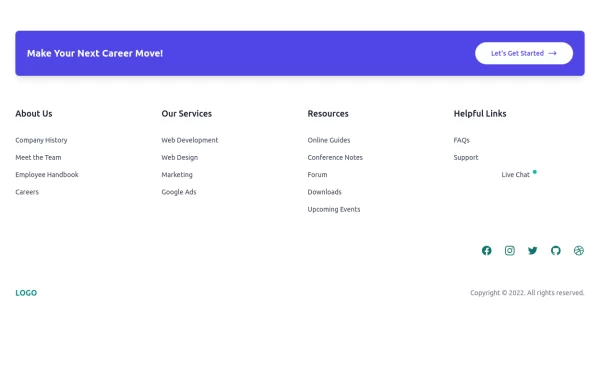 Clean & Responsive Footer Design with Tailwind CSS With CTA Button
modern and responsive footer built with Tailwind CSS to enhance website navigation, accessibility, and user experience. Featuring quick links, social media icons, copyright info, and a sleek layout, this SEO-friendly footer improves engagement and usability across all devices. Perfect for portfolios, business websites, and eCommerce stores!
1.5k -

-

-

-
 Responsive Login & Support Form
A responsive login page for an order and production management system. It features a branded navigation bar, username and password fields, a clear sign-in action, and a built-in support message form with attachment and emoji controls. Built with Tailwind CSS and Flowbite, the layout adapts smoothly to desktop and mobile screens. Tags: Login Form, Authentication, Contact Form, Support Form, Responsive, Navbar, Footer, Tailwind CSS, Flowbite, Admin Panel
129 -

-
 Interactive 3D Morphing Globe - Sphere to Star
3D interactive particle globe that morphs between a sphere and a star shape. Features custom glassmorphism UI, click-to-pulse bloom effects, and dynamic color themes. Built by Mostafa Niloy (Visernic Limited) using Three.js and Tailwind CSS.
469 -
 Date picker
Date picker example using flatpickr library
18.2k -
 Aurora Spinner
Aurora Spinner using tailwindcss
1.8k -
 Hero Section with Tailwind CSS With Buttons
A modern, responsive Hero Section designed with Tailwind CSS to capture attention and drive engagement. Featuring a bold heading, compelling CTA buttons, and a high-quality image, this design enhances user experience and conversions. Ideal for landing pages, portfolios, and business websites, ensuring a strong first impression and higher interaction rates.
1.4k -
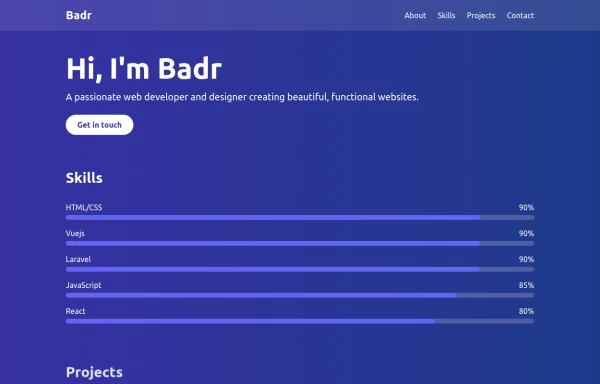 portfolio
This portfolio page for Claire includes: 1. Responsive design that works on both desktop and mobile 2. Indigo-800 and Blue-900 color scheme for the background 3. Dark mode support (the design is already dark-themed) 4. Beautiful animations and effects: 1. Fade-in and slide-up animations for sections 2. Animated skill bars 3. Hover effects on projects and buttons 4. Smooth scrolling for navigation 5. Mobile-friendly navigation with a toggle menu 6. Sections for About, Skills, Projects, and Contact 7. A contact form with styled inputs 8. Social media links in the footer 9. Accessibility considerations (proper heading structure, color contrast, focus styles) Key features: - The background uses a gradient from Indigo-800 to Blue-900 - The header and footer have a frosted glass effect using backdrop filters - Text is white for high contrast against the dark background - Sections fade in and slide up as they enter the viewport - Skill bars animate when the skills section is in view - Project cards have a hover effect with scaling and increased opacity - The contact form has animated focus states - Social media icons change color on hover - The layout is responsive, with a hamburger menu for mobile screens This implementation provides a visually appealing and functional portfolio page for Claire, using HTML, Tailwind CSS, and vanilla JavaScript for the interactions and animations.
3.7k -






Browse by topic
Explore components by Tags
Jump straight to the UI pattern you need.
Can't find it?
Didn't find the component you were looking for?
Search across 3,000+ community-built components and grab the code in seconds.