Radio Input Group
Just fancy radio input group
This tailwind example is contributed by farid, on 29-Jul-2025. Component is made with Tailwind v3.4. It is responsive. It supports dark mode.

Related Examples
-

-
 Interactive Multi-Method Donation Section
Overview: A high-trust, conversion-oriented fundraising section styled in the project's signature Navy Blue theme. It provides users with flexible payment options, ranging from one-click fixed amounts to manual bank transfers and cryptocurrency donations. Key Features: Smart Amount Logic: Includes a JavaScript-powered selector where users can choose a preset amount ($10, $25, $50) or type a custom value. The interface automatically toggles states (deselecting buttons when typing, and vice-versa) to prevent user error. Payment Methods: Quick Card/Checkout: Primary call-to-action column. Bank Transfer: A clean card displaying account details with a "Copy to Clipboard" utility. Crypto (Bitcoin): A specialized dark-themed card featuring a placeholder QR code and wallet address copying functionality. Trust Signals: Includes security iconography (lock, shield) and reassuring copy to boost donor confidence. Visual Hierarchy: Uses a 7/5 grid split to prioritize the immediate donation action while keeping manual payment methods accessible but secondary. Tech Stack: Framework: Tailwind CSS. Icons: Ionicons. Scripting: Vanilla JavaScript (for amount toggling and clipboard copying functions). Fonts: DM Serif Display (Headings) + Inter (Body). Usage: Ideal for the "Support Us" page or a dedicated campaign landing page. The script tag included at the bottom handles all the interactivity (button selection and text copying) without needing external libraries.
1.3k -
 Forgot password form
Useful form for sending password reset link
22.2k -

-
 login
Dark mode login
-
 3D login form and responsive designe
Made a resposnvie form and 3d animation
576 -
 Login Form
Login Card Structure This code gives you a complete, self-contained login card. Here's what's included: Input Fields: Email and password fields with icons, labels, and placeholder text. The password field includes a "Forgot password?" link. Options & Actions: A "Remember me" checkbox and a prominent "Sign In" button with hover effects. Footer Links: A "Create one" link for new accounts and social login icons (Google and GitHub) for alternative sign-in methods.
188 -

-
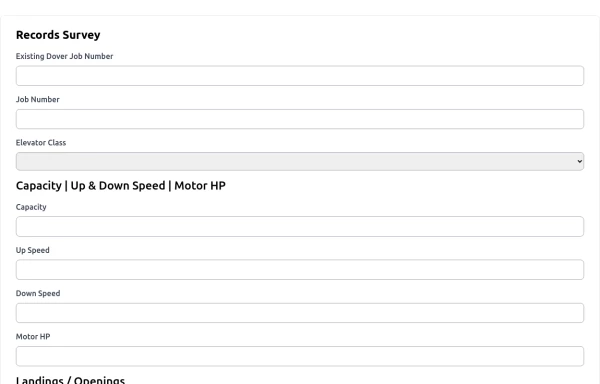 Records Form - HPower
records survey form
1.9k -
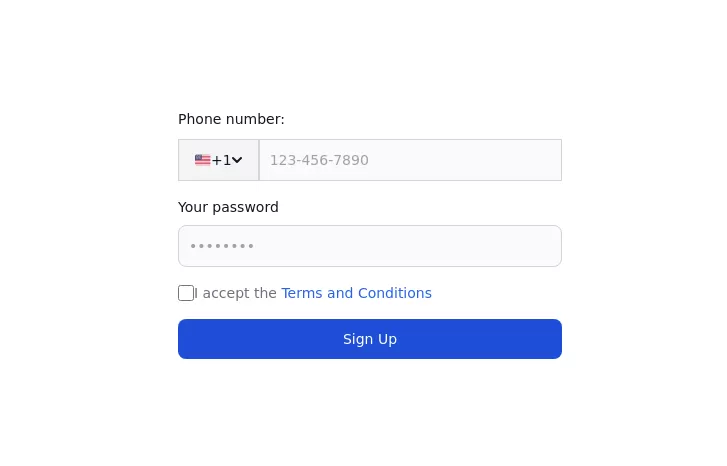 Authentication form
Use this example to authenticate users with a login form using a phone number instead of an email address.
3.8k -
 Responsive Contact Section Using Tailwind CSS
This HTML and Tailwind CSS snippet creates a visually appealing and responsive contact section. Designed to adapt seamlessly across different screen sizes, this component features two main areas: the contact information block and a contact form. The contact block displays essential details like phone, email, and address, alongside social media links, all encapsulated within a cyan-themed card with rounded corners and shadow effects for depth. The form area, highlighted with a contrasting white background, ensures a user-friendly interface for submitting contact details. This code snippet is perfect for integration into any modern web application requiring a responsive and stylish contact section.
3.7k -










Browse by topic
Explore components by Tags
Jump straight to the UI pattern you need.
Can't find it?
Didn't find the component you were looking for?
Search across 3,000+ community-built components and grab the code in seconds.