123+ Free Pricing (cards,tables and pages) examples in Tailwind CSS
The pricing section can help to set expectations and establish trust with potential customers by providing clear and transparent information about pricing.
A well-designed pricing section can also help to differentiate the company's products or services from competitors and encourage customers to make a purchase. Additionally, the pricing section can be used to upsell customers by highlighting the features and benefits of more expensive plans or packages.
Here is a collection of elegantly designed pricing cards, pricing tables, pricing lists, pricing charts, and pricing pages.
Similar terms: Service rates, Subscription plans
-
 Price
PricePricing
3 months ago186 -
-
 Pricing card
basic pricing card with single price
2 months ago85 -
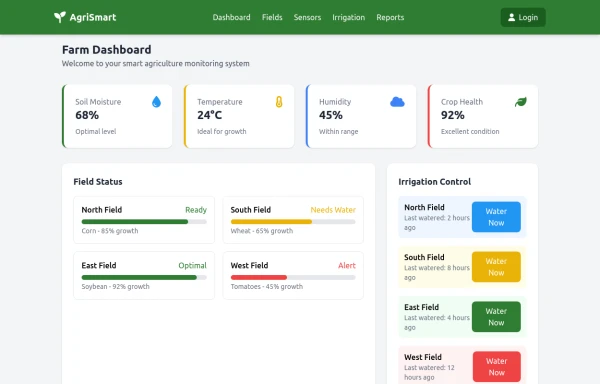 AgriSmart
used in agriculture for making profit and good production
2 months ago247 -
 Ticket Options ios 26
Ticket Options ios 26
1 month ago143 -
 Lifetime Access — iOS 26 Style
Lifetime Access — iOS 26 Style
1 month ago138 -
 Swiss-Grid Dark Pricing
A brutally minimalist pricing section that relies on strict grid architecture and typographic hierarchy instead of decorative elements. Features responsive border collapsing, monospaced technical accents, and high-performance CSS-only hover states. Designed for high-end SaaS, dev-tools, or agency portfolios that prioritize data clarity and structural rhythm.
4 weeks ago69 -
 Soft-Modern Dark Pricing
A sophisticated, highly rounded pricing component inspired by modern fintech interfaces. It avoids harsh lines in favor of deep "zinc" tones and subtle borders (border-white/5). The center card pops using a high-contrast white button against the dark theme, guiding user focus naturally without using aggressive gradients.
4 weeks ago214 -
 2 weeks ago27
 -
 Interactive Multi-Method Donation Section
Overview: A high-trust, conversion-oriented fundraising section styled in the project's signature Navy Blue theme. It provides users with flexible payment options, ranging from one-click fixed amounts to manual bank transfers and cryptocurrency donations. Key Features: Smart Amount Logic: Includes a JavaScript-powered selector where users can choose a preset amount ($10, $25, $50) or type a custom value. The interface automatically toggles states (deselecting buttons when typing, and vice-versa) to prevent user error. Payment Methods: Quick Card/Checkout: Primary call-to-action column. Bank Transfer: A clean card displaying account details with a "Copy to Clipboard" utility. Crypto (Bitcoin): A specialized dark-themed card featuring a placeholder QR code and wallet address copying functionality. Trust Signals: Includes security iconography (lock, shield) and reassuring copy to boost donor confidence. Visual Hierarchy: Uses a 7/5 grid split to prioritize the immediate donation action while keeping manual payment methods accessible but secondary. Tech Stack: Framework: Tailwind CSS. Icons: Ionicons. Scripting: Vanilla JavaScript (for amount toggling and clipboard copying functions). Fonts: DM Serif Display (Headings) + Inter (Body). Usage: Ideal for the "Support Us" page or a dedicated campaign landing page. The script tag included at the bottom handles all the interactivity (button selection and text copying) without needing external libraries.
2 months ago342 -
 2 weeks ago24
 -
 2 weeks ago30
 -
 MENU OMERLINKS
MENU OMERLINKS
21 hours ago9 - Contribute yours





Didn't find component you were looking for?
Search from 3000+ components